Posts

Showing posts with the label FreeBSD

FreeBSD and OpenBSD in Hyper-V - First Attempts

Image
So I wanted to try out the  new FreeBSD 13.1. Rather than installing it onto a physical computer, I decided to try creating a virtual machine in Hyper-V.  Hyper-V is a Microsoft product, and it was all I am able to use in the work environment that I am in. In a previous experiment I was able to create a Linux Mint virtual machine in Hyper-V with no problems.  However, I did encounter problems setting up FreeBSD 13.1 in Hyper-V. I eventually gave-up on getting FreeBSD 13.1 to work in Hyper-V. I tried a few different ideas, but I was never able to get X-Windows to recognize the keyboard. The keyboard worked fine to type in startx, but once X started, the keyboard wouldn't work.  It was a little disappointing not being able to get FreeBSD working in Hyper-V, but alas, some times such things happen. To stay within the BSD family, I decided to try out OpenBSD. I had very little knowledge of OpenBSD, but I decided to get it a try in Hyper-V. Unlike FreeBSD 13.1, X Windows...
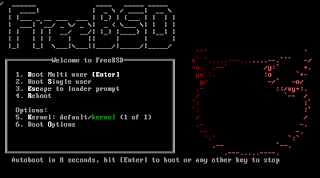
Trying Out FreeBSD 12.0

Image
It has been several years since I have experimented with FreeBSD . And lately I have been watching FreeBSD videos on YouTube as well as reading articles about it. I recon that my interest was perked recently when I read that the new package manager in the HaikuOS was designed similarly to the package manager in FreeBSD. So a few days ago, I downloaded the new FreeBSD 12.0 ISO and created a new VM to test it out. Well, I had forgotten that FreeBSD boots to a text login prompt as apposed to a graphical login prompt. As I was exploring and trying to get X working, the process was reminding me of the time several years ago (back in the 90's) when I first started learning Linux. Back then X had to be configured manually by editing config files. Configuring X became a little easier when I discovered xconfigurator . Thankfully the FreeBSD documentation helped walk me through setting up X and getting a window manager installed. I chose Xfce as a window manager since it is l...